To create a discussion, first navigate to the Participant's page.
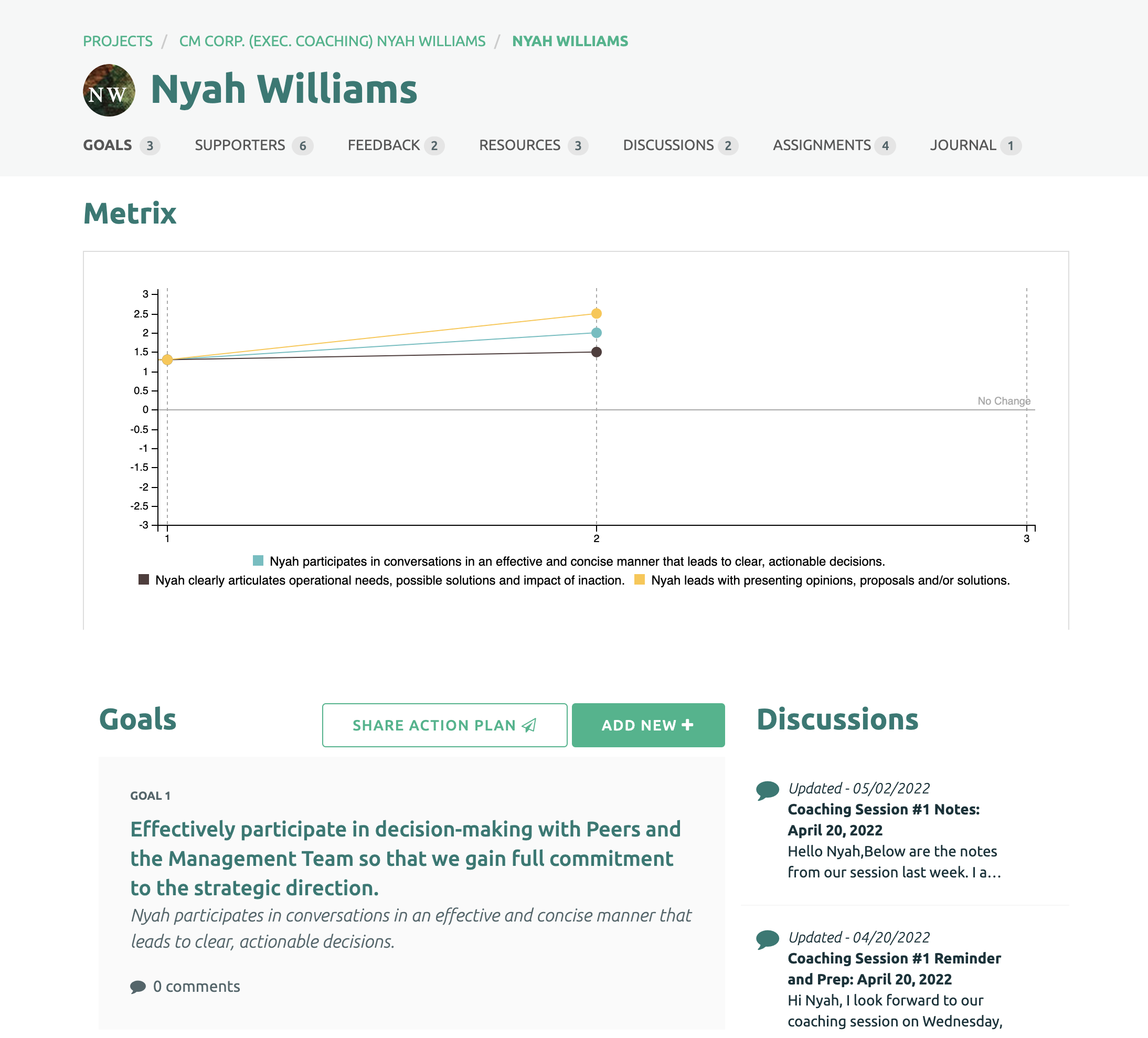
Then select the discussion link under the Participant's name.

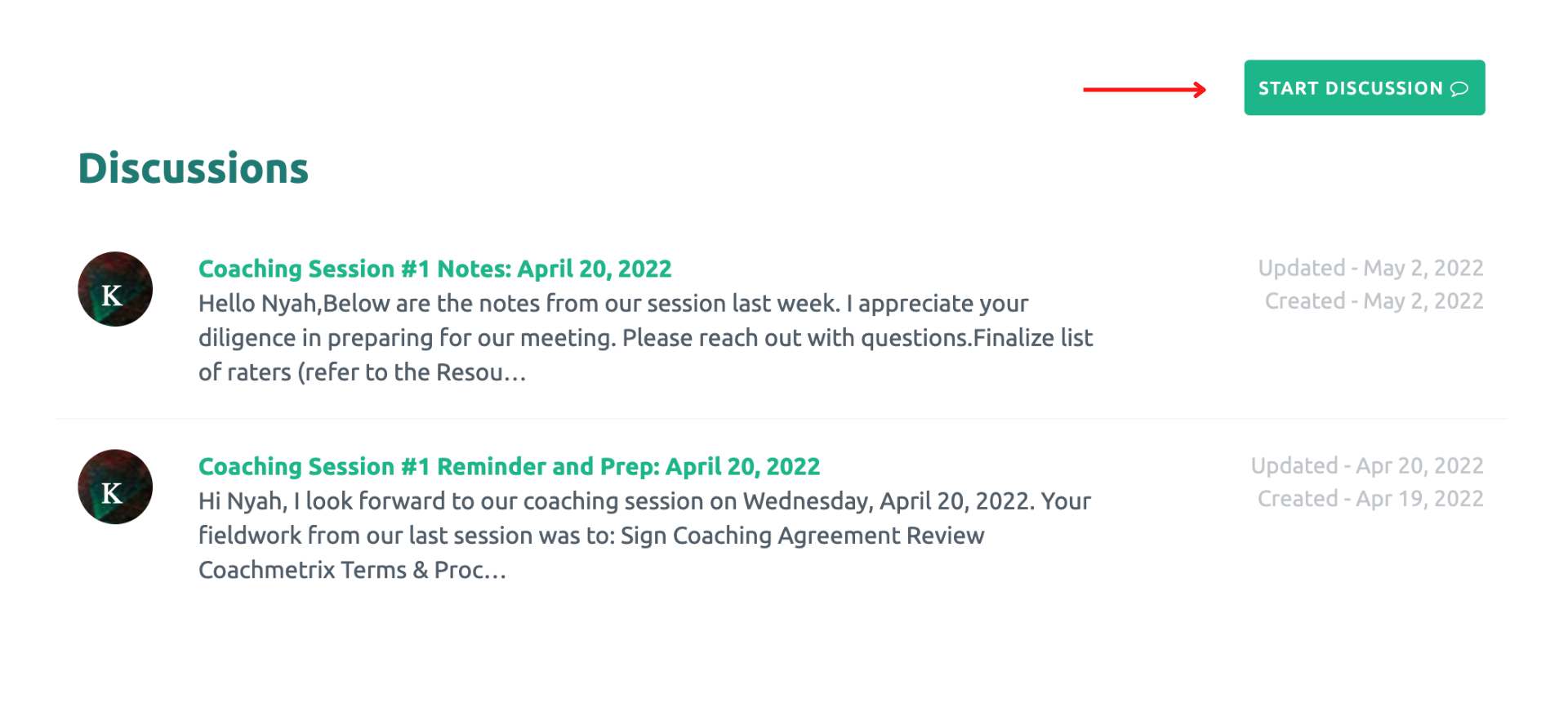
Click on the "Start Discusion" button on the right side of the screen.
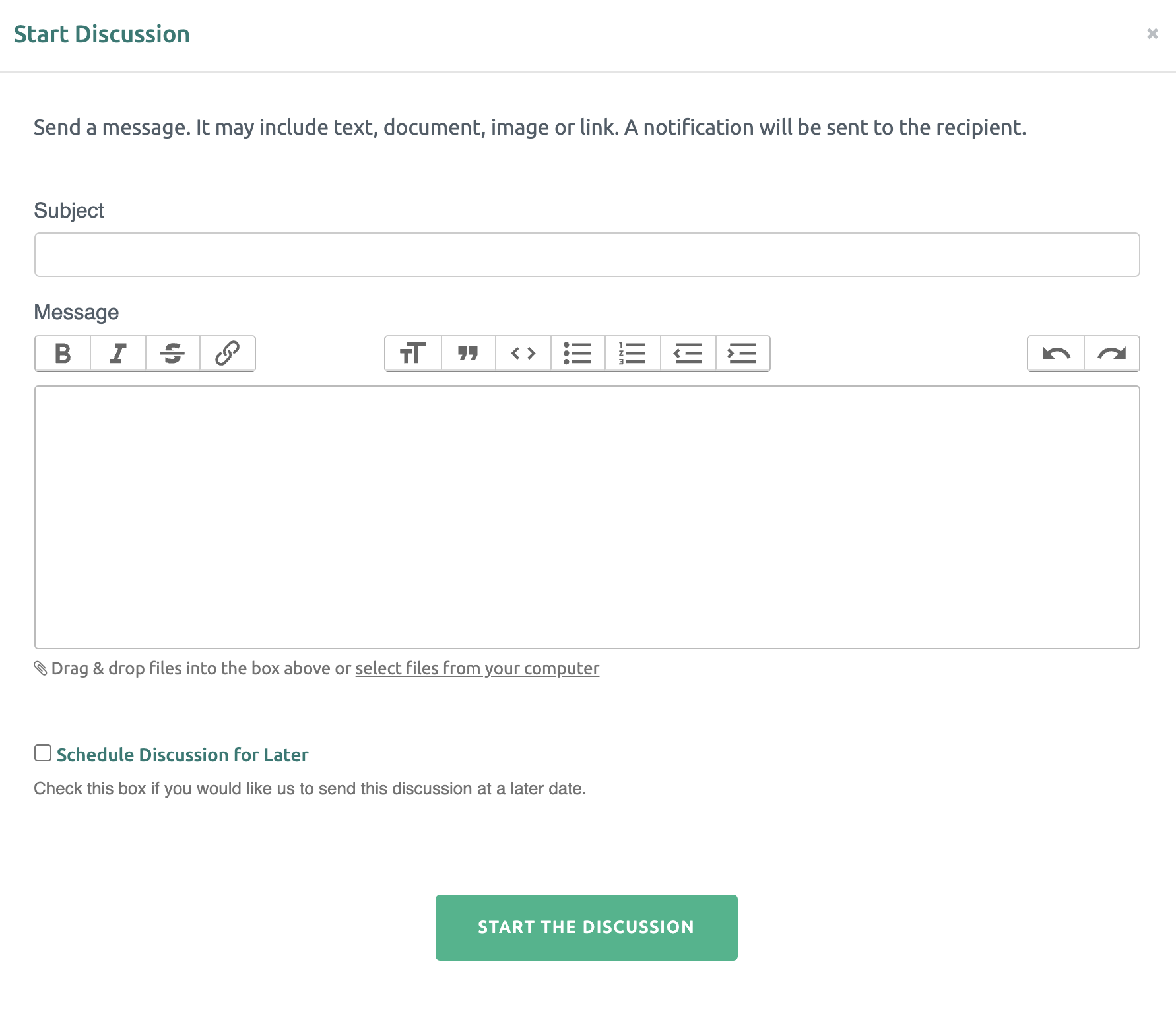
The Coach or Participant can add a discussion subject and details. An email is sent to the Coach or Participant with the discussion content. Files may be inserted from your computer into the text box.
If you would like to start the discussion at a later date, check the "Schedule Discussion for Later" box and select a send date & time.
Once your message is complete, click the green button at the bottom to start the discussion.