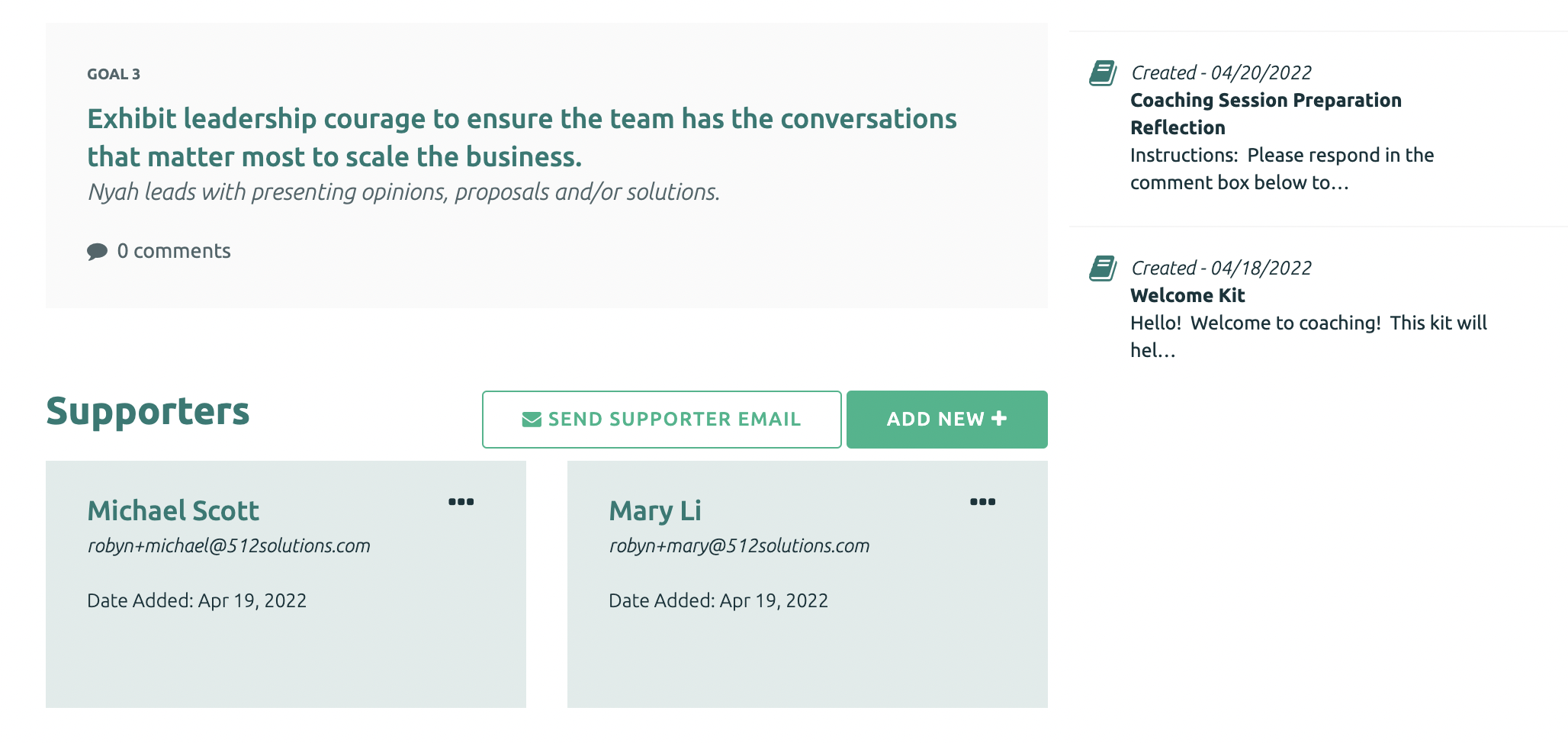
To Remove a Supporter, navigate to the Supporters section of the Participant's main page.
The Supporters section is listed under the Goals.
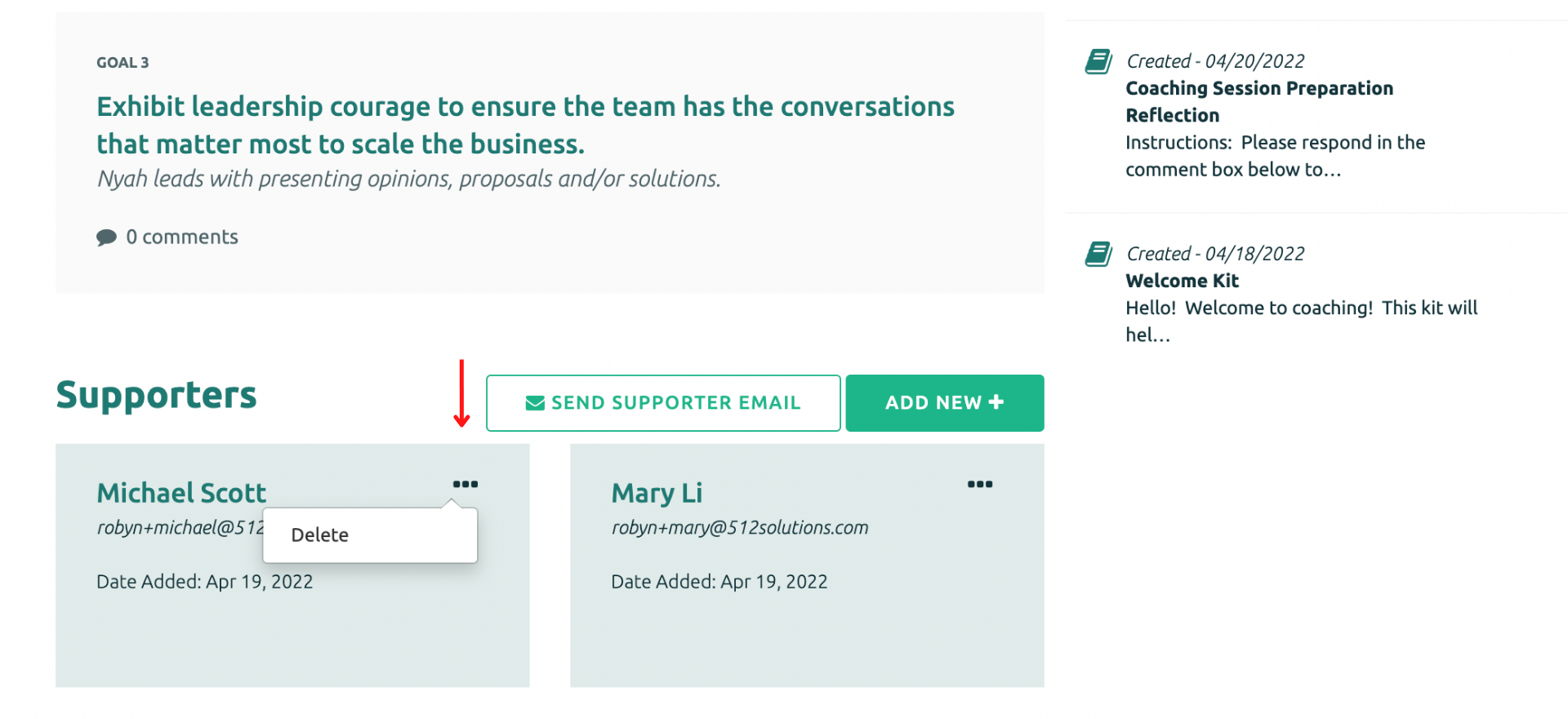
Click on the 3 dots in the top right corner of the supporter tile Select delete to remove the Supporter.
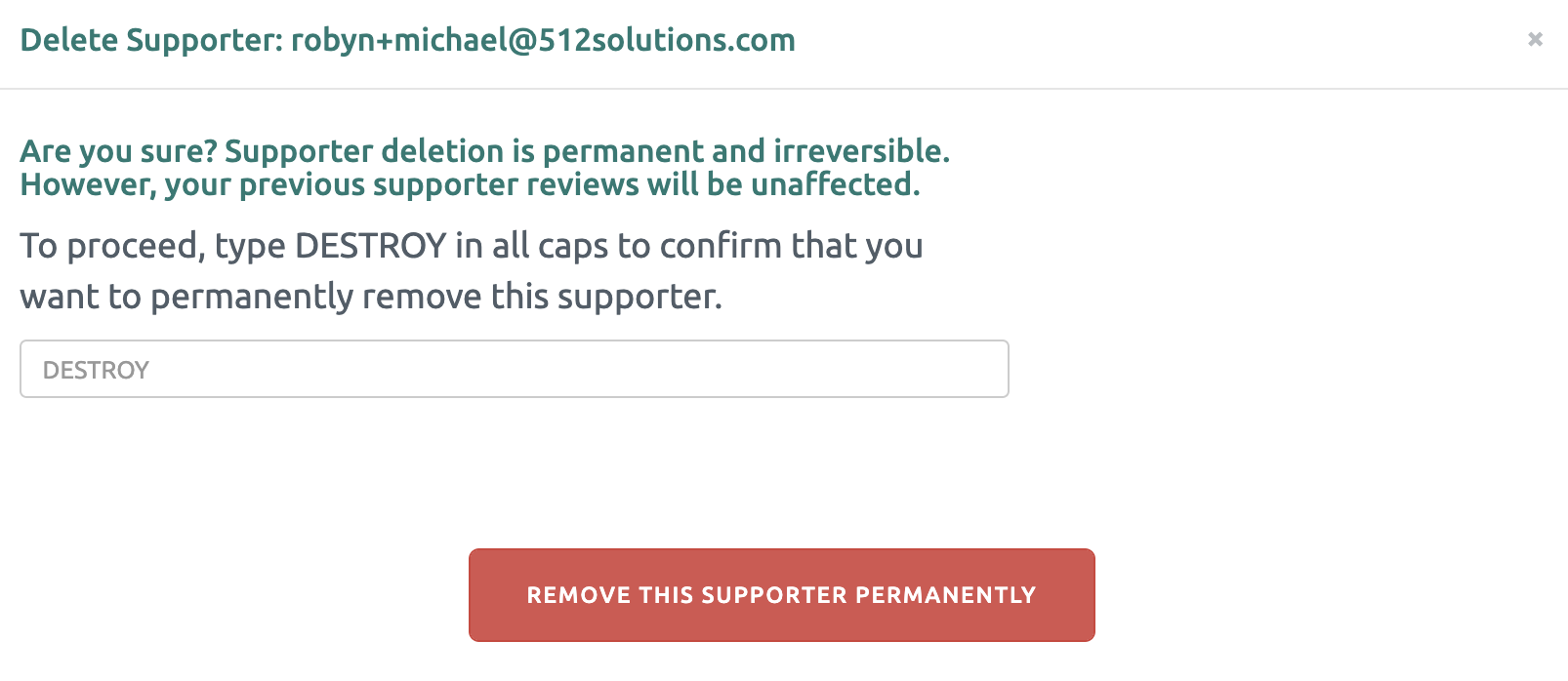
Type DESTROY in all caps and click “Remove this Supporter Permanently”.